

Download the MazeMap app
Download the MazeMap app
Download the free MazeMap app to your smartphone for quicker access to the St George’s and Epsom Hospitals map whenever you need it.
For the best experience, we recommend downloading the MazeMap app from the Apple App Store or Google Play before scanning a QR code. However, if you prefer, you can simply scan any QR code to open the map instantly in your phone’s web browser – no download is required.
Once installed, you’ll be able to open the St George’s and Epsom Hospitals map at any time.
Open your phone’s camera or QR code scanner and scan one of the QR codes below, or download MazeMap directly from the Apple App Store or Google Play.
Step 1: Download the MazeMap app
Apple App Store

Google Play

Step 2: Add the hospital profile
After opening the MazeMap app for the first time, the ‘Add Profile’ screen will appear.
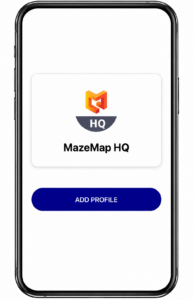
Select Add Profile, then search for and choose ‘St George’s and Epsom Hospitals’.
You’re ready to go!
Your hospital profile has now been installed and is ready to use. You can open the MazeMap app whenever you need directions to departments, clinics, wards and facilities across St George’s and Epsom Hospitals.